Key takeaways
- Start with the problem that costs you most, not the tool that looks best in a demo. For most small builders that is lost information: variations, site photos and RFIs.
- Adopt in layers: records and communication first, then scheduling and money, then estimating, then advanced tools such as reality capture and AI.
- One tool at a time, with a clear owner, a trial on a live job and a decision date. Tools that are half adopted create two systems instead of one.
- Your subcontractors and clients must be able to use it without training, or they will go back to text messages and the tool will fail.
- Keep ownership of your data: check export options, who can see what, and what happens when you stop paying.
The construction technology market has never been busier. There are apps for site diaries, scheduling, estimating, quality inspections, safety, client portals, drones, 360-degree cameras, sensors and, increasingly, artificial intelligence. For a small residential builder, the question is not whether technology can help. It is where to start, what to leave for later, and how to avoid paying for five subscriptions that nobody uses.
This guide sets out a practical 12-month roadmap, built around the problems small builders actually have rather than the features vendors want to sell. It assumes a builder running a handful of jobs at once, with a small office team or none at all, and a crew of subcontractors who each have their own way of doing things.
Start with the problem, not the product
Every technology decision should begin with a specific problem and a rough idea of what it costs. For most small builders, the most expensive problems are not technical. They are lost information: a variation agreed verbally and never paid, a photo of the waterproofing that was never taken, an RFI answered by text and forgotten, a trade who turned up on the wrong day. These problems cost money on every job, and they are exactly the ones that simple tools solve best.
Before looking at any software, look back at your last three jobs. Where did you lose money, time or a dispute? Where did you wish you had a record? The answers are your shopping list. If a tool does not address one of them, it can wait.
Adopt in layers
Technology works best when it is adopted in layers, each building on the one before. Records come first because everything else depends on them. Communication comes next because it creates records automatically. Scheduling and money follow, because they need good information to work. Estimating tools are more useful once you have cost data from your own jobs. Advanced tools like reality capture and AI come last, when you know exactly which problem they will solve.
A 12-month roadmap
- Months 1–2RecordsSite photos in one place, a digital site diary, and written variations every time.
- Months 3–4CommunicationOne channel for RFIs, trade instructions and client updates, tied to each job.
- Months 5–6ProgrammeA live schedule shared with trades, updated weekly, with look-ahead notices.
- Months 7–8MoneyAccounting integration, progress claims and cost tracking against the estimate.
- Months 9–10EstimatingDigital takeoff from drawings, and a price library built from your own jobs.
- Months 11–12Advanced toolsReality capture, AI drafting and sensors, where they solve a problem you have measured.
Months 1–2: records
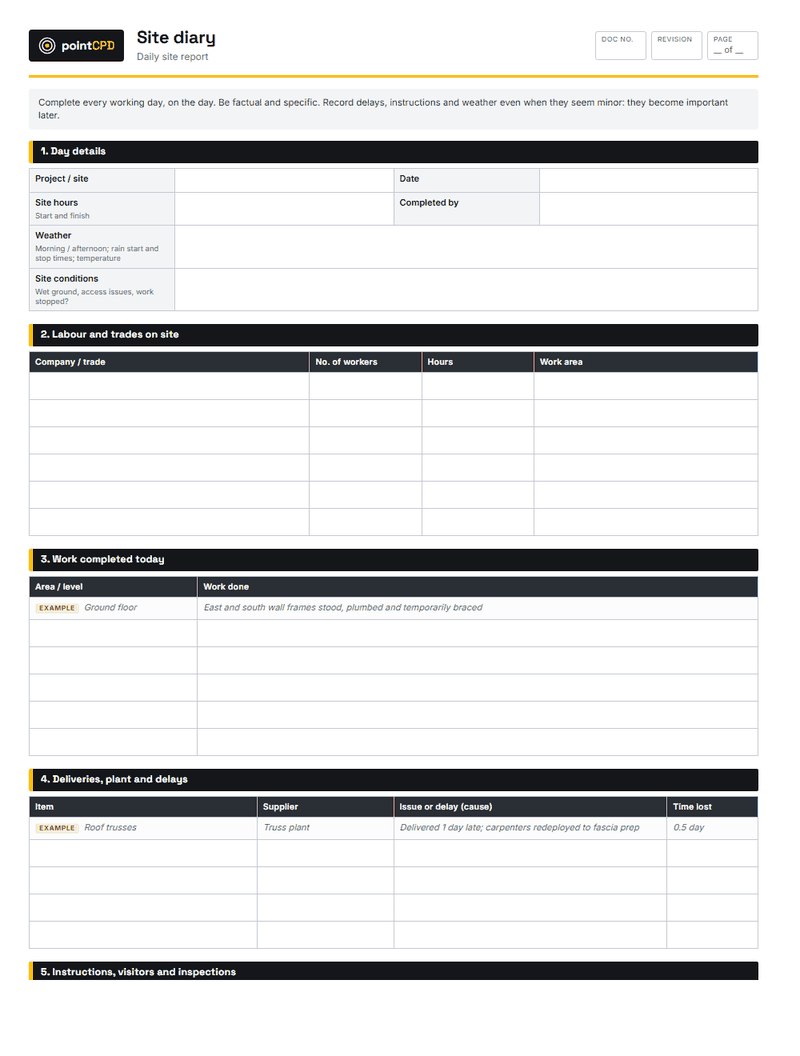
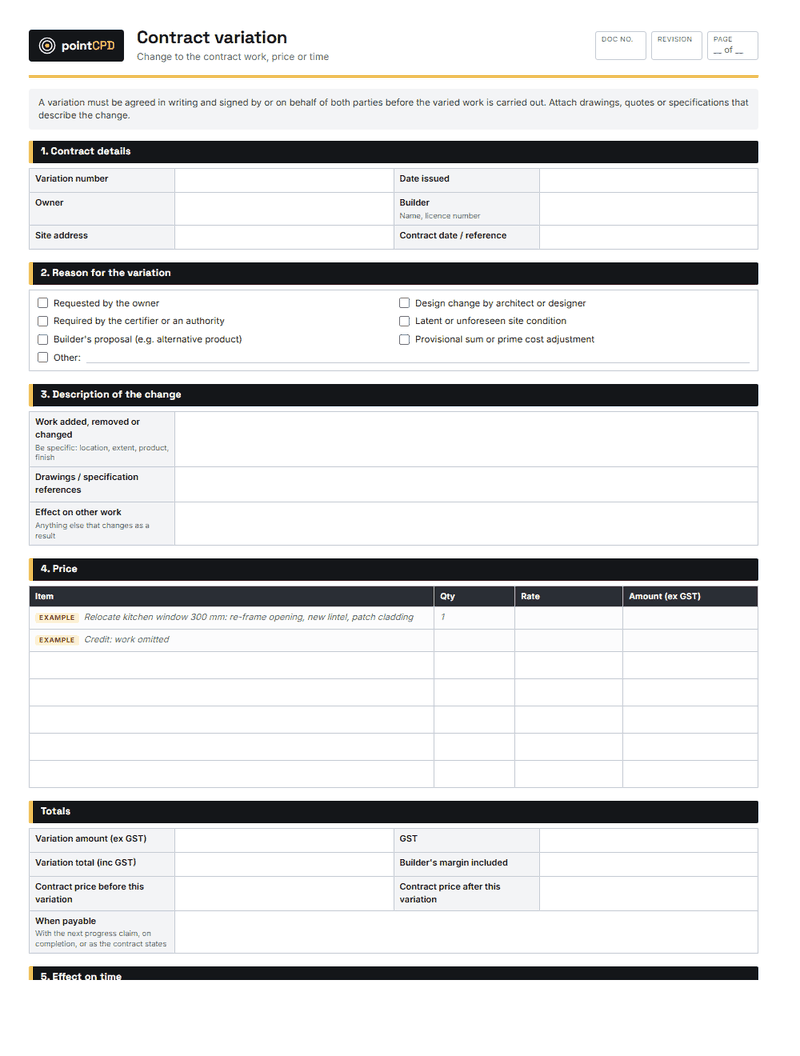
The first layer is the one with the highest return and the lowest cost. Get every site photo into one place, tagged to the job and the date. Keep a daily site diary on your phone: weather, trades on site, deliveries, inspections, delays and instructions. And put every variation in writing, signed by the client, before the work is done.
These three habits are the foundation of defect defence, variation recovery and extension of time claims. NSW home building contracts expect variations in writing, and the certification process and the Design and Building Practitioners Act both run on documents. A builder with good records wins disputes that a builder without them loses, whatever the merits.
Photograph before you cover. The single most valuable site habit is photographing work before it is concealed: waterproofing, framing connections, insulation, services, reinforcement. A tagged, dated photo is worth more than any warranty argument.
Months 3–4: communication
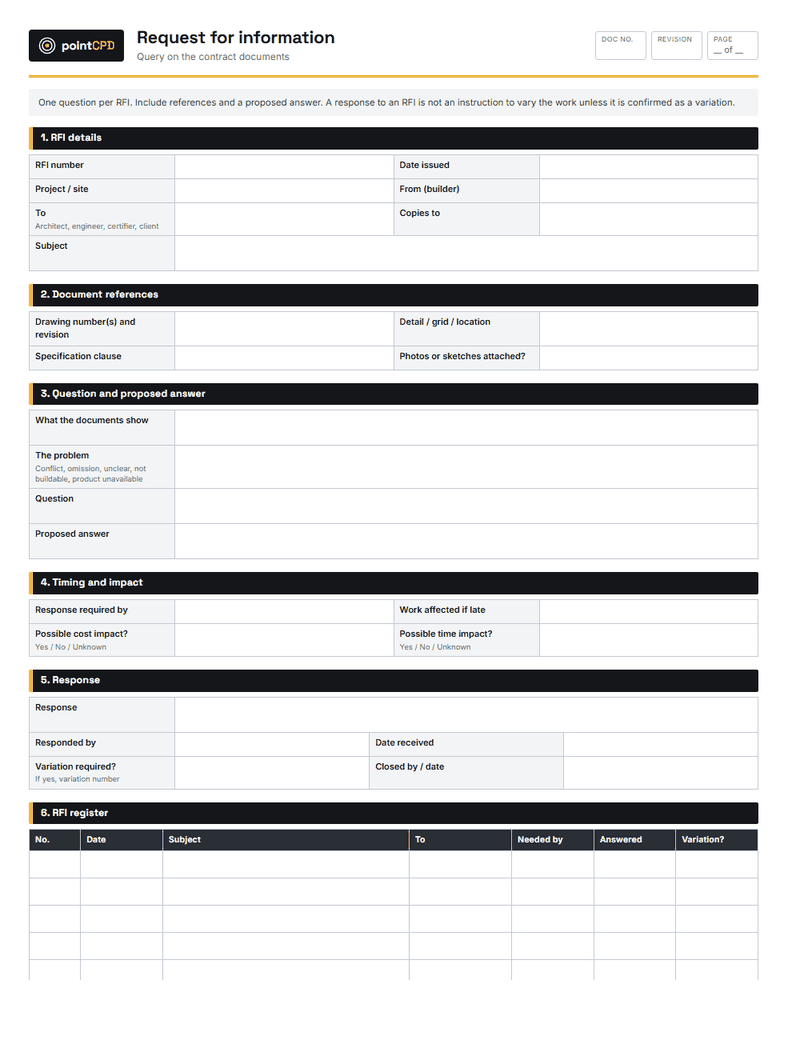
The second layer replaces scattered text messages, phone calls and emails with one channel for each job. Requests for information, instructions to trades and updates to clients should all be in one place, with dates and attachments. The aim is not to stop talking to people. It is to make sure that anything that matters is written down somewhere you can find it later.
This is where adoption usually fails. If subcontractors cannot use the tool on their phone in thirty seconds, they will keep texting, and you will end up with two systems. Choose tools that work for the least tech-savvy person on your team, and be prepared to enter their texts into the system yourself for the first few months.
Months 5–6: the programme
A shared schedule that trades can see, and that is updated weekly, reduces one of the biggest sources of wasted time on residential sites: trades arriving too early, too late or not at all. A good scheduling tool sends look-ahead notices, lets trades confirm their dates and makes delays visible early enough to do something about them.
The programme is also evidence. When a delay caused by the client, the weather or a late approval pushes out completion, a dated programme showing the original and revised dates supports an extension of time claim far better than memory.
Months 7–8: money
The fourth layer connects the site to the accounts. Progress claims, supplier invoices and subcontractor payments should flow into the accounting system, and actual costs should be tracked against the estimate as the job progresses. This is where a small builder finds out, while there is still time to act, that a job is going over budget.
Cash flow is the most common reason builders get into trouble, and most of the tools that help with it are simple: claims issued on time, retentions tracked, and a weekly view of what is owed and what is due. See our guide to builder cash flow and progress payments for the details.
Months 9–10: estimating
Digital takeoff tools measure quantities directly from PDF drawings, faster and more consistently than a scale ruler. Combined with a price library built from your own recent jobs, they make estimates quicker and more accurate. AI-assisted takeoff is improving quickly, but it still needs checking by someone who knows what the drawing means. The value comes from your own cost data, which is why estimating comes after the money layer.
The small builder’s technology stack
| What it replaces | Start with |
|---|---|
| Photos scattered across phones | A shared photo app that tags each photo to a job, location and date |
| Paper diary or no diary | A digital site diary filled in daily from the phone |
| Verbal variations | A variation form the client signs before work starts |
| Text-message RFIs | An RFI log with dates, answers and attachments |
| Whiteboard programme | A shared schedule that trades can see and confirm |
| Spreadsheet estimates | Digital takeoff plus a price library linked to accounting |
Months 11–12: advanced tools
Only now, with good records, communication, scheduling and cost data in place, do advanced tools make sense for most small builders. A 360-degree camera walkthrough before plasterboard captures every service and fixing in minutes. A drone gives roof and site progress photos without a ladder. Concrete sensors tell you when a slab has reached strength. And AI tools can draft variation letters, summarise specifications and answer questions about your own documents.
Each of these has a real use, but each also adds cost and a new habit to form. Adopt them when you can point to the specific problem they solve. See our guides to reality capture, AI for builders and smart concrete sensors for the practical detail.
How to make a tool stick
Most technology fails not because the tool is bad but because it is half adopted. A few rules make the difference:
- One tool at a time. Introducing three systems at once guarantees none of them is used properly.
- A clear owner. One person is responsible for setting it up, training the team and chasing its use.
- A live-job trial. Test it on a real job with real trades, not a demo project.
- A decision date. At the end of the trial, keep it and make it compulsory, or cancel it. Do not leave it half used.
- Retire the old way. If the paper diary is still available, people will keep using it.
Before you buy any construction software
- Can I name the problem it solves, and what that problem cost on my last three jobs?
- Can a subcontractor use it on their phone without training?
- Does it work offline or with poor signal on site?
- Can I export all my data, including photos, in a usable format?
- Does it connect to my accounting software?
- Who owns the data, where is it stored, and who can see it?
- What happens to my records if I stop paying?
- Can I trial it on a live job before committing?
Your data, your records
Construction records need to last. Defect claims can arise many years after completion, and the photos, diaries and variations in your software are the evidence you will need. Before committing to any tool, check that you can export all your data, including photos, in a format you can open without the software. Check where the data is stored, who at the vendor can access it, and what happens if you stop paying or the company closes.
Cyber security matters too. Construction businesses handle large payments and are frequent targets of invoice and payment redirection scams. Use multi-factor authentication on every account, limit who can change bank details, and follow the Australian Signals Directorate’s guidance for small businesses.
A worked example: the three-job builder
A builder running three renovation jobs at once has lost two variation disputes in the past year and spends every evening chasing trades by text. In the first two months, they move site photos and variations into a single app and make a signed variation form compulsory. In months three and four, they set up job-based messaging for trades and a client update every Friday. By month six, trades are confirming their dates in a shared schedule.
At the end of the year, the builder has not bought anything exotic. But every variation is signed before the work starts, every concealed element is photographed, and the evening phone calls have dropped sharply. The advanced tools can wait until there is a problem they would solve.
What it costs, and how to judge the return
Most of the tools in the first four layers are sold as monthly subscriptions, often priced per user or per active project. The subscription is rarely the real cost. The real cost is the time it takes to set the tool up, train the team and change habits, and the risk of paying for something that is only half used. That is why the roadmap moves slowly and insists on a decision date for each tool.
Judge the return against the problem you started with. If a signed variation form recovers one disputed variation a year, or a photographed pre-plasterboard walkthrough avoids one argument about a missing noggin or a misplaced service, the tool has usually paid for itself. If you cannot point to a problem it has solved after three months, cancel it.
The bottom line
For a small builder, construction technology is not about being first. It is about solving the problems that cost money on every job, in the right order, with tools that everyone on the team will actually use. Start with records, then communication, then the programme and the money. Leave the exciting tools for later, and adopt them when they have a job to do.
Questions builders ask
What construction technology should a small builder adopt first?
Records: site photos in one place, a digital site diary and written, signed variations. They cost little, are easy to adopt and protect you in disputes and defect claims.
Do small builders need project management software?
Most benefit from a simple tool that keeps photos, RFIs, variations and the programme for each job in one place. The key is choosing one that subcontractors and clients can use without training.
Is AI useful for small builders yet?
Yes, for drafting letters and variations, summarising documents and assisting with takeoffs. It still needs checking by someone who knows the job, and it works best once your records are organised.
How do I get subcontractors to use a new app?
Choose a tool that works on any phone with minimal setup, make it the only way to receive instructions and confirm dates, and be prepared to support them for the first few months.
What should I check before buying construction software?
The problem it solves, whether trades can use it, offline use, data export, accounting integration, data ownership and security, and what happens to your records if you stop paying.
Sources
- Small business cyber security · Australian Signals Directorate
- Record keeping for business · Australian Taxation Office
Published 6 September 2026. General information for builders, not legal, financial or engineering advice for a specific job. Check current requirements with the relevant regulator or standard before relying on them.