Key takeaways
- Construction management software brings estimating, scheduling, variations, site diaries, documents, photos and client communication into one place.
- For a small residential builder, the biggest wins are fewer lost variations, faster quotes, a reliable site record and fewer client phone calls.
- Choose by workflow, not features: the software must match how you quote, schedule, claim and communicate, and your supervisors must actually use it on site.
- Check integration with your accounting software, data export, mobile use in poor signal, and who owns your data if you leave.
- Roll out one module at a time on a live job, with a champion in the business. Most failed implementations try to change everything at once.
Many small building businesses run on a mix of tools that grew up over time: a spreadsheet for estimating, a whiteboard or a calendar for scheduling, a paper diary or none at all, email for documents, a phone full of site photos, and accounting software for invoices. It works, until the business grows past what one person can hold in their head, or until a dispute arrives and the records are nowhere to be found.
Construction management software promises to bring all of that into one place. Some builders swear by it; others have paid for a system nobody used. This guide explains what the software should do for a small residential or renovation builder, where the real payoffs are, and how to choose and implement it without regret.
What construction management software does
The products on the market vary, but most cover some or all of the following:
What each part of the software does for a small builder
| Module | Replaces | The payoff |
|---|---|---|
| Estimating and quoting | Spreadsheets and rate books | Faster, more consistent quotes with fewer missed items |
| Scheduling | Whiteboard and phone calls | Trades see their dates; delays ripple through automatically |
| Variations | Notes and memory | Every change priced, signed and tracked to the invoice |
| Site diary and photos | Paper diary and phone camera roll | A dated record that holds up in a dispute |
| Documents and drawings | Email attachments and folders | Everyone works from the current revision |
| Client portal | Phone calls and texts | Clients see progress, selections and approvals themselves |
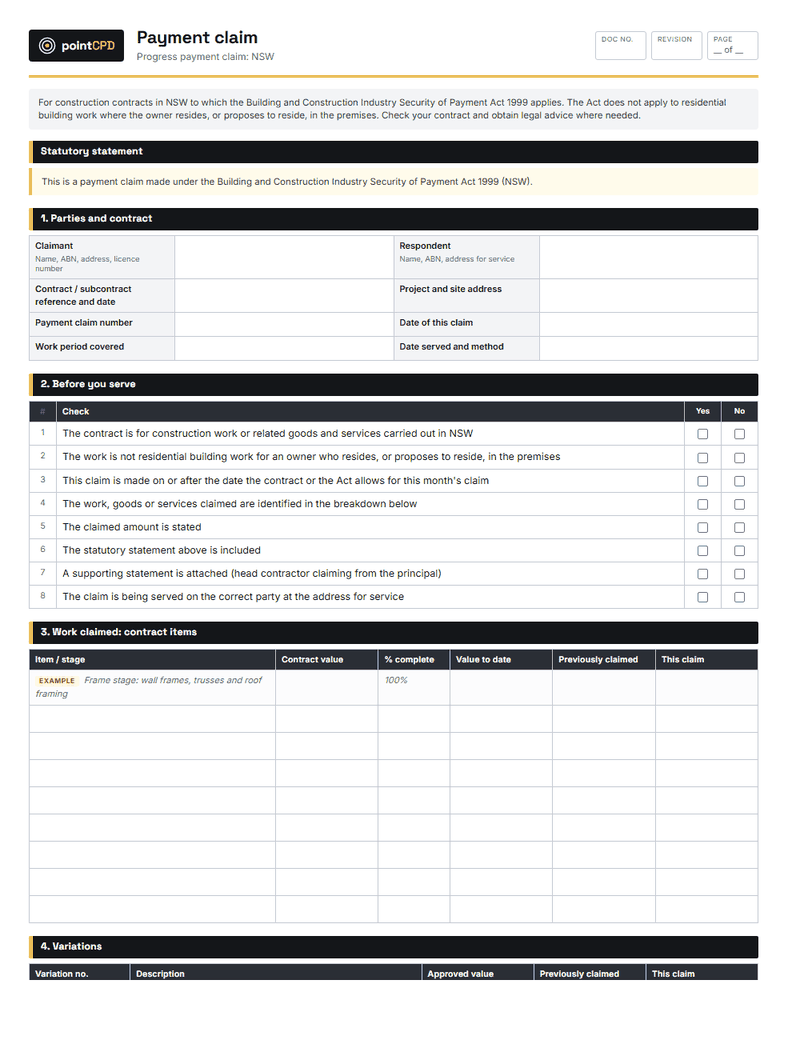
| Progress claims and invoicing | Manual invoices | Claims issued on time, synced to accounting |
Some products are built around estimating, with project management added. Others start with scheduling and site records. Some are designed for large commercial contractors and are overkill for a builder doing ten houses a year. The right product depends on where your business loses the most time and money today.
The real payoffs for a small builder
Fewer lost variations
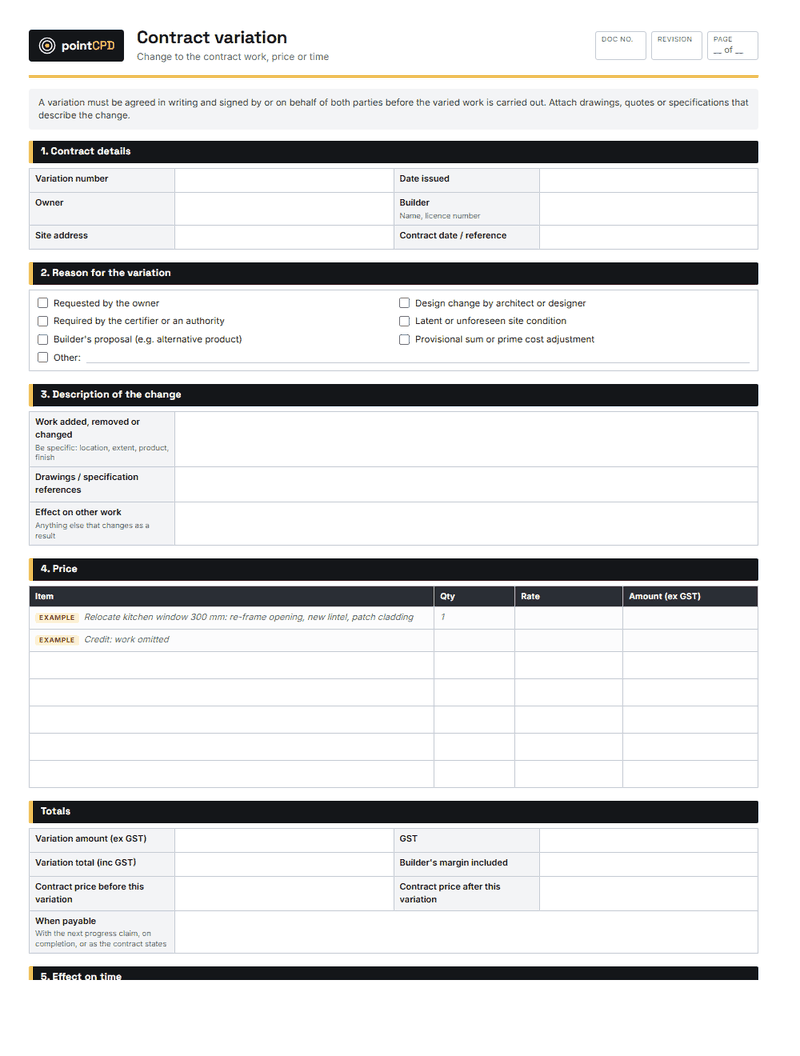
Variations agreed on site and never written up are one of the biggest sources of lost revenue in residential building. Software that lets a supervisor raise a variation on a phone, price it, send it to the client for electronic signature and track it through to the invoice recovers money that would otherwise disappear. For many builders, this alone pays for the software.
Faster, more consistent quotes
Estimating from templates, cost libraries and past jobs is faster than starting a spreadsheet from scratch, and it reduces the risk of forgetting an item. Some systems also connect to supplier price lists or take quantities from plans, which cuts takeoff time. Consistent quotes with clear inclusions and exclusions also reduce disputes later.
A site record that holds up
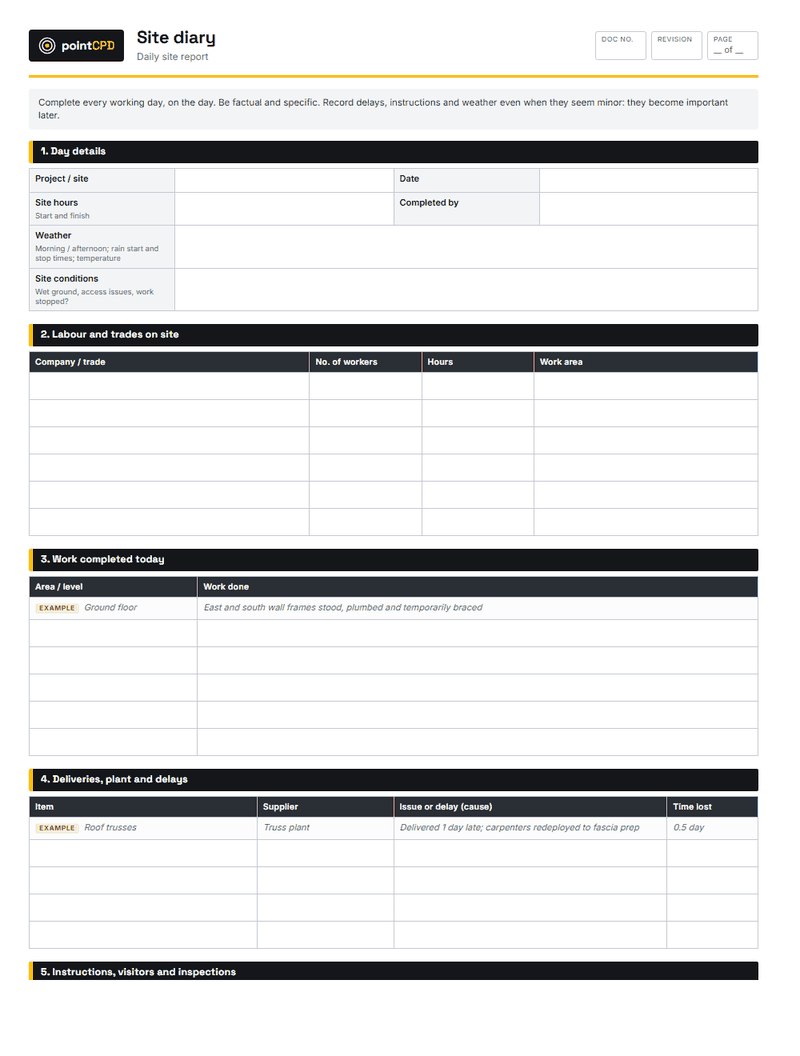
A daily site diary with dated photos, weather, trades on site, deliveries, instructions and issues is invaluable in delay claims, variation disputes and defect claims. Most builders know they should keep one; few do consistently on paper. Software that makes the diary quick to fill in on a phone, and automatically dates and files photos to the job, turns good intentions into a habit.
Fewer client phone calls
Client portals let owners see progress photos, the schedule, selections and documents, and approve variations and selections themselves. That reduces the constant “how’s it going?” calls and texts, and it creates a record of what the client was told and when.
Better scheduling
When a delay happens, a schedule in software shows which later tasks move, and trades can be notified automatically. That is not magic, and it only works if the schedule is kept up to date, but it is far better than a whiteboard that only the builder can see.
Cash flow visibility
Linking progress claims, variations, supplier invoices and the budget for each job shows whether a job is making money while there is still time to act. Many builders only find out at the end of a job, when the final account is reconciled.
What it does not do
Software does not fix a business that does not follow its own processes. If variations are not being written up because supervisors do not think it is their job, a variations module will not change that on its own. If the schedule is not updated, the software will show a confident, wrong schedule. The software is a tool for a process; the process has to exist first.
It also does not replace judgement. Automated estimating quantities need checking. Scheduling tools do not know that the bricklayer is unreliable. Client portals need someone to keep them current.
Choosing software
Choosing software without regret
- 1Map your workflowWrite down how a job goes from enquiry to handover, and where it breaks today.
- 2Shortlist on fitPick two or three products built for your type of work: residential, renovation or commercial.
- 3Trial on a real jobUse a free trial on a live job, not a demo project. Include a supervisor and a trade.
- 4Check the plumbingAccounting integration, data export, offline use, support hours and pricing per user.
- 5Decide and commitChoose, set a start date, and name a champion who owns the rollout.
The most important step is the first one: map how your jobs actually run, from first enquiry to handover and maintenance period, and identify where things break. That tells you which modules matter most. A builder who loses variations needs a strong variations workflow. A builder whose quotes take too long needs estimating. A builder drowning in client calls needs a portal.
Trial the shortlisted products on a real job, not the vendor’s demo project, and involve the people who will use them daily, especially a site supervisor. Software that the office loves and the site ignores will fail.
Questions to ask every vendor
- Does it integrate with our accounting software, and in which direction does data flow?
- Can supervisors and trades use it on a phone with poor signal, and does it sync later?
- Can we export all our data, including photos and diary entries, if we leave?
- How is pricing calculated: per user, per job, per module? What happens as we grow?
- Where is our data stored, who can access it, and how is it backed up?
- What support is available, in our time zone, and at what cost?
- Is it built for Australian residential work: GST, progress claims, variations, state contracts?
Integration with accounting
Most small builders already use cloud accounting software. The construction software needs to work with it, so that invoices, progress claims, supplier bills and payments do not have to be entered twice. Check exactly what integrates: some products sync invoices both ways; others only push invoices one way. Double entry is where errors creep in and where staff time disappears.
Data ownership and security
Your job records, photos, diaries and client communications are business-critical. Before committing, check that you can export all your data in a usable format if you leave, where the data is stored, how it is backed up, and who at the vendor can access it. Also check how the product handles clients’ personal information, because privacy obligations apply to many businesses.
Test the export before you need it. During the trial, export a job’s diary, photos and variations. If the export is incomplete or unusable, you are locked in. That matters when you want to switch, and even more when you need records for a dispute years later.
Cost: what to expect
Pricing models vary: per user per month, per active job, per module, or tiered plans. For a small builder, the monthly cost is usually modest compared with the value of a single recovered variation. The larger cost is time: setting up templates, cost libraries and processes, and training staff. Budget for that time, and for a slower first few jobs while everyone learns.
Watch for pricing that scales badly as you grow, such as a jump from a small-business tier to an expensive plan once you add a few users. Ask about the price for the size of business you expect to be in two years.
Implementation: how to make it stick
Most failed software implementations share the same pattern: the business bought a full system, tried to switch everything over at once, found it too hard, and drifted back to the old ways. A staged approach works better.
- Name a champion. One person in the business owns the rollout, learns the system deeply and helps others.
- Start with one module on one live job. Often the site diary and photos, or variations, because they deliver value quickly.
- Set up templates properly. Estimating templates, variation templates, schedule templates. Time spent here pays back on every job.
- Add modules one at a time. Once the first is a habit, add the next: scheduling, then client portal, then progress claims.
- Bring trades and clients in gradually. Trades who can see their schedule on their phone are a strong argument for the system.
- Review after three months. What is being used? What is not? Why?
Site usability is everything
A system that works beautifully on a desktop computer but is clumsy on a phone will not be used on site. Test the mobile app in the conditions it will be used: in bright sun, with gloves, with poor signal. Check that it works offline and syncs later, because many building sites have patchy mobile coverage. If the site diary takes more than a couple of minutes, it will not be filled in.
A worked example: one week, before and after
Consider a builder running four renovation jobs with two supervisors and an office manager.
Before: Monday starts with phone calls to trades to confirm the week. A client rings twice asking when the kitchen is going in. A supervisor agrees on site to move a power point and add two more; it is mentioned to the office on Thursday, by which time the electrician has done it, and nobody writes it up. The quote for a new job takes most of Wednesday night. On Friday, a client disputes a delay, and the builder scrolls through thousands of photos on their phone trying to find proof that the plumber could not start because the client’s tiles had not arrived.
After: The schedule is in the software, and trades get their dates automatically, with changes pushed to their phones. The client sees progress photos and the updated schedule in the portal and stops calling. The supervisor raises the power point change as a variation on their phone, prices it from a template and sends it to the client, who signs it that afternoon; it lands on the next progress claim. The new quote is built from a template and the last similar job in an hour. The delay dispute is answered with the site diary entry from the day, with the photo of the empty tile pallet attached.
Nothing in the “after” week is exotic. It is simply the same work with the information in one place.
Common mistakes when switching
- Buying for the business you want to be, not the one you are. A system designed for a large commercial contractor can bury a small builder in features and set-up.
- Skipping the templates. Software without good estimate, variation and schedule templates is just a slower spreadsheet.
- Not involving the site. If supervisors were not part of the choice, they will find reasons not to use it.
- Running two systems forever. Keeping the old spreadsheet “just in case” means nobody commits to the new one. Set a cut-over date.
- Migrating everything. Old jobs can stay where they are. Start new jobs in the new system.
A note on AI features
Many construction software products now include AI features: drafting variations and client updates, summarising diaries, reading plans for quantities, and flagging risks. These can save time, but they need the same checking as any AI output. A variation drafted by AI still needs a builder to confirm the scope and price. Quantities read from plans still need verification.
Getting clients comfortable with a portal
Some clients love a portal from day one. Others prefer a phone call. Introduce the portal at contract signing, show the client how to use it, and explain what they will find there and how often it will be updated. Then keep it current, because a portal that shows last month’s photos does more harm than no portal at all.
When not to buy software
A sole trader doing a handful of small jobs a year may genuinely not need a full construction management system. A good spreadsheet quote template, a disciplined photo and diary routine, a simple variation form and cloud accounting may be enough. The time to buy software is when the business is losing money or time because information is scattered, or when growth means more than one person needs to see what is happening on each job.
The bottom line
Construction management software is worth it for most growing building businesses, but only if it matches how the business works and the people on site use it. Choose by workflow, trial on a real job, check integration and data export, and roll it out one module at a time. Done that way, it pays for itself in recovered variations, faster quotes and a record that protects you when things go wrong.
Questions builders ask
Do small builders need construction management software?
Not always. A sole trader with a few small jobs may manage with good templates and disciplined records. Software pays off when information is scattered, variations are being lost, or more than one person needs to see each job.
What is the most valuable feature for a residential builder?
For many builders, variation management: raising, pricing, getting electronic signature and tracking variations to the invoice. It recovers revenue that is otherwise lost.
How much does construction software cost?
Pricing varies by user, job, module or plan. The monthly fee is usually modest for a small builder; the larger cost is set-up and training time.
What should I check before choosing construction software?
Fit with your workflow, accounting integration, mobile and offline use, data export, data security, support and how pricing scales as you grow.
How do I get my team to use new software?
Name a champion, start with one module on one live job, set up templates properly, add modules gradually and review after three months.
Sources
- Guidance on privacy and the use of commercially available AI products · Office of the Australian Information Commissioner
- Privacy for small business · Office of the Australian Information Commissioner
Published 10 August 2026. General information for builders, not legal, financial or engineering advice for a specific job. Check current requirements with the relevant regulator or standard before relying on them.