Key takeaways
- Safety technology on sites includes proximity warning systems for plant, lone worker and fall alarms, heat and fatigue monitoring, exoskeletons, digital sign-in and inductions, and camera analytics.
- Technology works best as a support to the hierarchy of controls, not a replacement. A proximity alarm does not replace separating people from plant.
- The most accessible wins for small builders are digital sign-in and inductions, lone worker check-ins, and proximity warnings on plant-heavy sites.
- Monitoring workers raises privacy and surveillance obligations. In NSW, workplace surveillance laws require notice to workers before certain surveillance begins.
- Consult workers before introducing monitoring technology. It is a WHS requirement and the best way to get it used.
Construction safety has always relied on the basics: planning, physical controls, training, supervision and a culture where people look out for each other. Those basics are not changing. What is changing is the range of technology available to support them: devices that warn an excavator operator when a worker is too close, alarms that raise help when a lone worker falls, apps that make inductions and sign-in routine, and cameras that can detect someone standing in an exclusion zone.
Some of this technology is genuinely useful on residential and small commercial sites. Some is more suited to large projects. All of it has limits. This guide explains the main types, where they help, and the privacy and consultation obligations that come with monitoring workers.
The main types of safety technology
Safety technology on building sites
| Technology | What it does | Limits |
|---|---|---|
| Proximity warning (tags and sensors) | Alerts operators and workers when people are close to plant | Supports separation, does not replace it; false alarms cause alarm fatigue |
| Lone worker and fall alarms | Raises an alert if a worker falls, stops moving or misses a check-in | Needs coverage and a response plan |
| Heat and fatigue monitoring | Tracks exposure or physiological signs and prompts breaks | Data sensitivity; must be linked to real rest and hydration controls |
| Exoskeletons | Supports arms or back during overhead or repetitive lifting | Suits specific tasks; fit and training matter |
| Digital sign-in and inductions | Records who is on site and that they were inducted | Only as good as the induction content |
| Camera analytics | Detects missing PPE, people in exclusion zones or unsafe acts | Privacy and surveillance obligations; worker trust |
Proximity warning systems
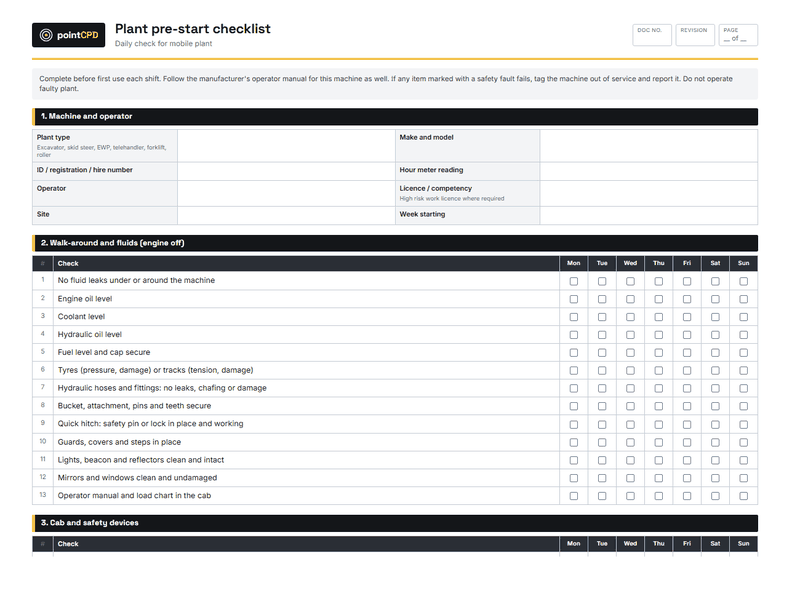
Being struck by moving plant is one of the most serious hazards on building sites. Proximity warning systems use tags worn by workers and sensors on plant to alert the operator, and sometimes the worker, when a person is within a set distance. Some systems can slow or stop the machine. They are increasingly used on civil and larger building sites where excavators, loaders and trucks work close to people.
They are a support, not a substitute. The first control for plant-people interaction is separation: physical barriers, exclusion zones and planned routes. A proximity alarm catches the moment when separation fails. Poorly tuned systems that alarm constantly also teach operators to ignore them.
Lone worker and fall alarms
Small builders, trades and supervisors often work alone: finishing a job after the crew leaves, inspecting a roof, or working on a remote site. Lone worker devices and apps can raise an alert automatically if the worker falls, stops moving, or misses a scheduled check-in, and send their location to a nominated contact. For a sole trader on a roof or a supervisor on a quiet site, that can be the difference between a fast rescue and lying injured for hours.
They need a response plan: someone who receives the alert and knows what to do. A device that alerts nobody helps nobody.
Heat and fatigue monitoring
With summer approaching, heat stress is a real risk on building sites. Some wearables track heat exposure, heart rate or other signs and prompt workers to rest and drink. Fatigue monitoring devices are used mainly in plant operation and driving. These tools can help, but they must be linked to actual controls: shade, water, rest breaks, work scheduling and adjusting work in extreme heat. They also collect sensitive personal health data, which must be handled carefully.
Exoskeletons
Passive exoskeletons, frames worn on the body that support the arms or back, can reduce strain during overhead work, such as installing ceilings, or repetitive lifting. They suit specific tasks rather than general site work, and they need correct fitting and training. They do not replace mechanical lifting aids or designing tasks to reduce manual handling.
Digital sign-in and inductions
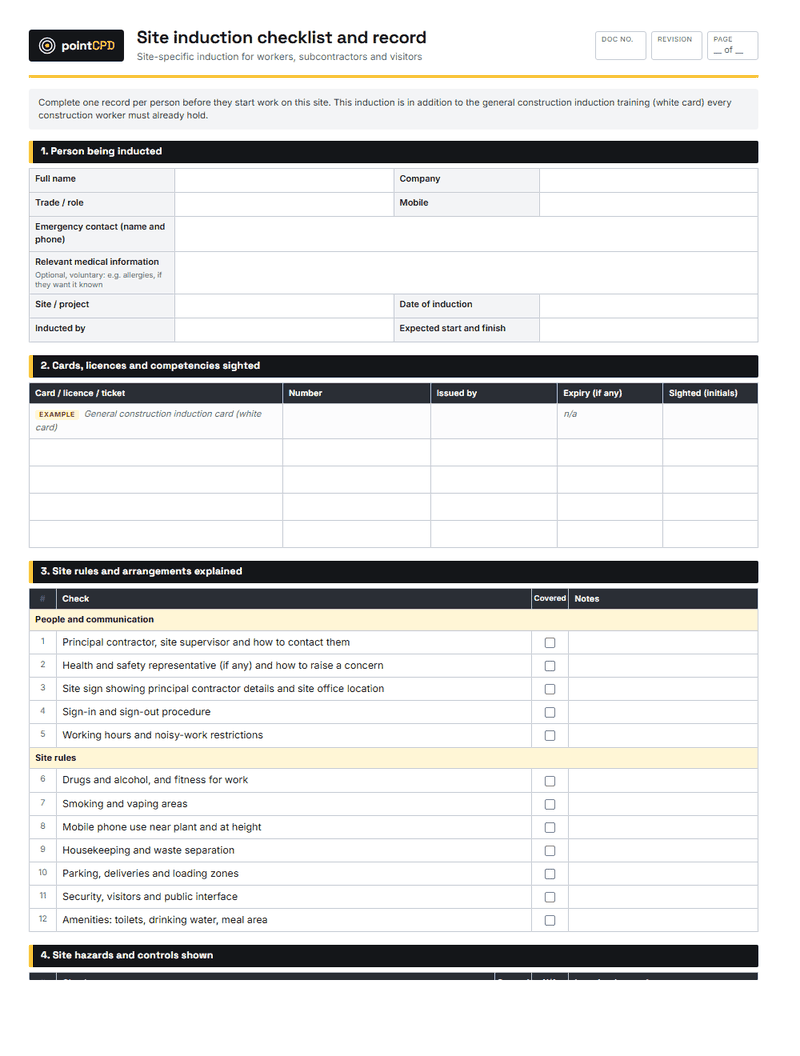
For most small builders, the easiest and most useful safety technology is digital site sign-in and induction. Workers scan a code on arrival, complete or confirm their induction, acknowledge site rules and SWMS, and sign in and out. The builder gets a record of who was on site, when, and that they were inducted, and can check licences and insurances for subcontractors in the same system.
The limitation is the content: a digital induction is only as good as what it covers. It should be specific to the site and its hazards, not a generic slideshow.
Camera analytics
Cameras with software that detects missing PPE, people in exclusion zones or unsafe behaviour are used on some larger sites. They raise significant privacy and trust questions, and they are most effective when used to identify patterns and improve systems, not to catch and punish individuals.
Technology and the hierarchy of controls
WHS law requires risks to be managed using the hierarchy of controls: eliminate, substitute, isolate, engineer, then administrative controls and PPE. Much safety technology sits at the lower levels: alerts, reminders and monitoring. It adds most value when the higher-level controls are already in place, and it can do harm if it creates a false sense of security that leads to those controls being relaxed.
An alarm is not a barrier. Proximity tags and camera alerts warn people about danger. Fences, exclusion zones and planned routes stop them being in danger. Use the technology to back up physical controls, never to replace them.
Privacy, surveillance and consultation
Many safety technologies monitor workers: their location, movements, physiological data or images. That brings legal obligations. In NSW, workplace surveillance laws require employers to give workers notice before certain types of surveillance, such as camera, computer or tracking surveillance, begin, and set rules on how it is conducted. Privacy law may also apply to how personal information is collected and handled.
Separately, WHS laws require consultation with workers about matters that affect their health and safety, which includes introducing new safety systems. Consultation is also practical: workers who understand why a device is being introduced, and trust how the data will be used, are far more likely to wear it and respond to it.
Privacy and trust checklist
- What data is collected, and is it more than needed for the safety purpose?
- Who can see the data, and for how long is it kept?
- Have workers been consulted and given the notice the law requires?
- Is the data used only for safety, not quietly for performance management?
- Are subcontractors and their workers informed too?
Introducing technology the right way
Introducing safety technology the right way
- 1Start with the hazardPick a specific risk the technology will reduce, such as plant-people interaction.
- 2Check the controlsMake sure higher-order controls, like separation, are already in place.
- 3Consult workersExplain what it does, what data it collects and how it will be used.
- 4Meet privacy rulesGive any notice surveillance laws require; set data access and retention.
- 5Trial and reviewTrial on one site, measure whether it helps, adjust or drop it.
A worked example: the excavation contractor
A civil contractor doing site works for residential builders has had two near misses in a year, both involving labourers walking behind reversing excavators on tight sites. After tightening exclusion zones and spotter rules, the contractor trials a proximity warning system on two machines. Workers wear tags on their hard hats; the machines alert the operator when a tag is within the set distance behind them.
Before the trial, the contractor explains the system at a toolbox talk, confirms the tags record only proximity events for safety purposes, not location tracking for performance, and gives the notice required. After three months, operators report the alerts are useful on tight sites, the system is tuned to reduce false alarms, and the contractor rolls it out across its fleet. The physical controls stay in place; the tags catch the moments when they slip.
Subcontractors and shared sites
On a building site, most workers are not the builder’s employees. If a builder introduces a sign-in system, proximity tags or cameras, subcontractors and their workers need to be informed and, where relevant, consulted, and the arrangements for data need to be clear. Coordination between businesses sharing a site is already a WHS duty; technology adds another thing to coordinate. Include it in the site induction and the subcontract documents.
Technology for the office side of safety
Not all safety technology is worn or mounted on plant. Apps for SWMS, toolbox talks, hazard reporting, incident reporting and inspections make it easier to capture and track safety information from site. A hazard reported on a phone with a photo, assigned to someone to fix and closed out when done, is more likely to be acted on than a note in a diary. For small builders, these tools often deliver more safety value than wearables, because they strengthen the systems that manage every hazard.
Data that improves safety
The real value of safety data is in the patterns. Repeated proximity alerts at the same gate, frequent hazard reports about the same scaffold, or lone worker check-ins missed on the same kind of job point to a system problem that can be fixed. Builders who review their safety data periodically, rather than only when something goes wrong, get far more from the technology.
Keeping it simple
The best safety technology for a small builder is often the simplest: a phone app that lets anyone report a hazard with a photo, a shared calendar for inspections, a lone worker check-in by text message. Complex systems that nobody maintains deliver nothing.
Costs
Digital sign-in and induction apps are generally inexpensive subscriptions. Lone worker apps can run on existing phones, with dedicated devices costing more. Proximity systems and camera analytics are larger investments, usually made by plant-heavy contractors and larger builders. The right question is not what the technology costs, but which risk it reduces and whether a cheaper, higher-order control would do more.
The bottom line
Safety technology can help builders manage real hazards: plant and people, lone work, heat, manual handling and site access. It works best as a support for the basics, introduced with consultation and respect for workers’ privacy, and aimed at a specific risk. For most small builders, start with digital inductions and sign-in and a lone worker process, and add more specialised tools where the hazards justify them.
Questions builders ask
Do proximity warning systems prevent plant accidents?
They can help by alerting operators and workers when someone is close to plant, but they support separation rather than replace it. Barriers, exclusion zones and planned routes remain the primary controls.
What is a lone worker device?
A device or app that raises an alert if a worker falls, stops moving or misses a check-in, sending their location to a nominated contact who follows a response plan.
Is it legal to monitor workers with cameras or trackers?
It can be, but surveillance and privacy laws apply. In NSW, employers must give workers notice before certain surveillance, such as camera, computer or tracking surveillance, begins. Get advice for your circumstances.
What safety technology should a small builder start with?
Digital sign-in and inductions, and a lone worker check-in process, are the most accessible and useful starting points.
Do I need to consult workers before introducing safety technology?
Yes. WHS laws require consultation on matters affecting workers’ health and safety, and consultation also makes the technology more likely to be used.
Sources
- Workplace Surveillance Act 2005 (NSW) · NSW Legislation
- Working in heat · Safe Work Australia
- Digital technologies and AI · Safe Work Australia
Published 30 August 2026. General information for builders, not legal, financial or engineering advice for a specific job. Check current requirements with the relevant regulator or standard before relying on them.